
Monitor the punctuality of your employees
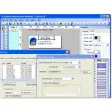
Picture TimeClock is a nice, free Windows program, being part of the category Business software with subcategory Human Resources (more specifically Employee Management).
More about Picture TimeClock
It's available for users with the operating system Windows 95 and former versions, and you can download it only in English. The current version of the software is 4.0 and its last update was on 6/08/2006.Since the software has been added to our selection of software and apps in 2005, it has managed to reach 40,228 downloads, and last week it had 7 downloads. Picture TimeClock is a software that takes up less storage than the average program in the category Business software. It's a very popular software in some countries such as India, South Africa, and Pakistan.

.png)

























User reviews about Picture TimeClock
Have you tried Picture TimeClock? Be the first to leave your opinion!